|
Print Job Bar
|
Previous Top Next |
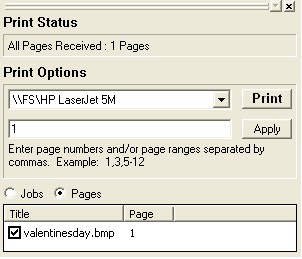
| · | Print Status lists the pages received.
|
| · | Print Options
|
| · | Choose which printer you want to send the banner or poster to from the drop down menu.
|
| · | Enter a number for specific pages of the sign you want to print.
|
| · | Press Print to send your job to the printer.
|
| · | Lists the computer file you want to print as a poster or banner. If you uncheck the box the computer file will not print.
|