
Works great on Windows 7, Windows 8 / 8.1, Windows 10, and Windows 11 (32-bit and 64-bit)

You want to print books, and you don't want to spend a lot of money.
With ClickBook, design with Microsoft Word or any program you know and like.
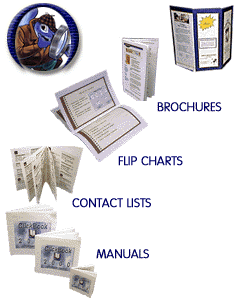
ClickBook turns your work into a book, brochure, catalog, bulleting, poster, banner or PDF. Easy to use!
ClickBook does much, much, more. This is just a sample:
|
|
| For Windows Vista/Windows 7/Windows 8 (8.1)/Windows 10/Windows 11 | |
|
Buy: $49.95 |
|
|
Buy With CD/Manual: $49.95 + SH |
|
|
Upgrade: $24.95 |
|
| Free Clickbook 15 Trial | |

|
Features: |
|
| For Windows 7/Windows 8 (8.1)/Windows 10/Windows 11 | |
|
Buy: $49.95 |
|
|
Upgrade: $24.95 |
|
| Free Clickbook 15 Trial | |
|
What applications does ClickBook work with? ClickBook works with virtually any Windows application including Word, Internet Explorer, FireFox, CompuServe, AOL, Excel, Access, WordPerfect, Encarta, and thousands more! Utilizing Adobe Acrobat Reader for Windows you can effortlessly print PDF's with ClickBook. To install Adobe Acrobat Reader for Windows click here. |
|
|
ClickBook Resources These resources will help you get the most out of ClickBook. We offer specialized staplers to help you bind your booklets. Our high-precision German engineered trimmers will help you create perfect booklets. |
ClickBook Manual (PDF)
ClickBook Manual (HTML) Staplers Trimmers Previous Versions ClickBook Tutorial Video How ClickBook Works ClickBook Knowledge Base New Layouts What's New Step-by-Step Tour Waterproof paper for Laser printers. |